# Statuspage.io Integration
Atlassian Statuspage is a communication tool that lets teams publish real-time service health information to their users. It supports outbound webhook notifications whenever an incident is created, updated, or resolved — and whenever a component's operational status changes. This integration pipes those events directly into ITOC360 so your on-call team stays in the loop without having to monitor a separate status page.
### In Statuspage.io
The webhook subscription lives under your page's **Subscribers** section. Navigate there from the left sidebar, then switch to the **Webhook** tab.
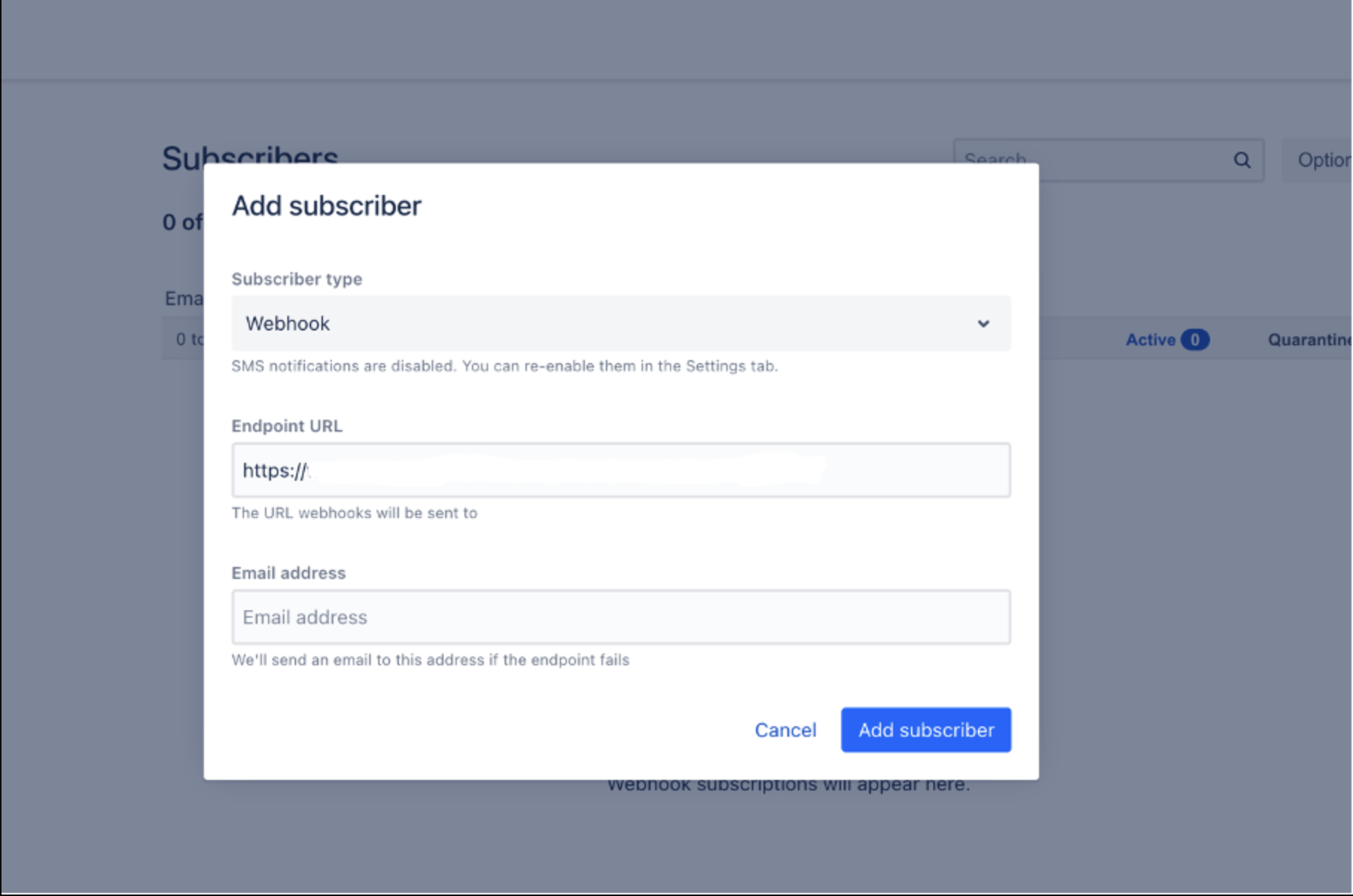
Click the **Options** button in the top right and select **Add subscriber**. In the modal that appears, make sure the subscriber type is set to **Webhook**, then paste your ITOC360 webhook URL into the **Endpoint URL** field.
Your endpoint URL follows this format:
```
https://?token=
```
Hit **Add subscriber** to save. Statuspage will immediately begin sending webhook payloads to that URL whenever activity occurs on your page.
#### Triggering an incident
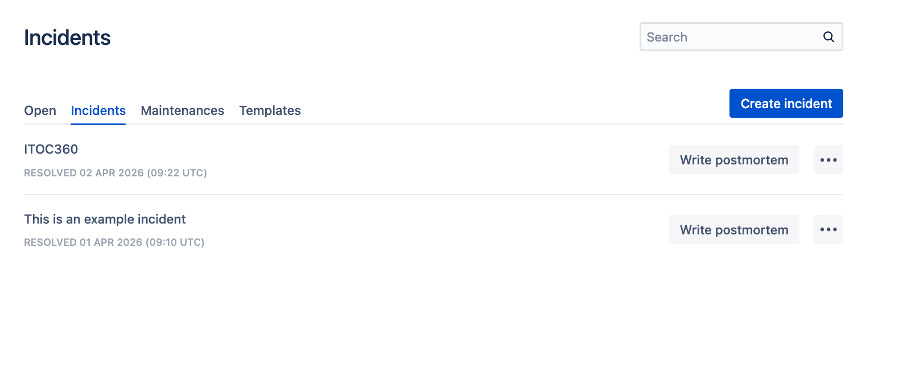
To verify the integration is working, head to **Incidents** in the left sidebar and click **Create incident**. Give it a name, select at least one affected component, check **Send notifications**, and hit **Create**.
Statuspage sends a webhook for each status transition — so you will see a payload when the incident is created as `investigating`, and another when you move it through `identified`, `monitoring`, or `resolved`.
#### Updating a component status
Component-level status changes also trigger webhooks independently of incidents. Go to **Components** in the sidebar, find the component you want to update, and click **Edit** next to it.
On the edit screen, open the **Status** dropdown. You can set the component to any of the available states — Operational, Degraded performance, Partial outage, Major outage, or Under maintenance.
Changing the status and saving fires a `component_update` webhook event. Setting it back to **Operational** will trigger a resolve event in ITOC360.
### In ITOC360
Go to **Sources**, click **Create Source**, and select **Statuspage.io** from the list. Copy the webhook URL shown on the source detail page and use it as the endpoint when adding your subscriber in Statuspage, as described above.
ITOC360 handles both event types automatically. Incident events are resolved when the incident status reaches `resolved`. Component events are resolved when the component returns to `operational`. The priority level is derived from the incident's impact field — `none` maps to Low, `minor` to Medium, `major` to High, and `critical` to Critical. Component status changes without an associated incident default to Medium priority.